
Written by: Segun Akomolafe
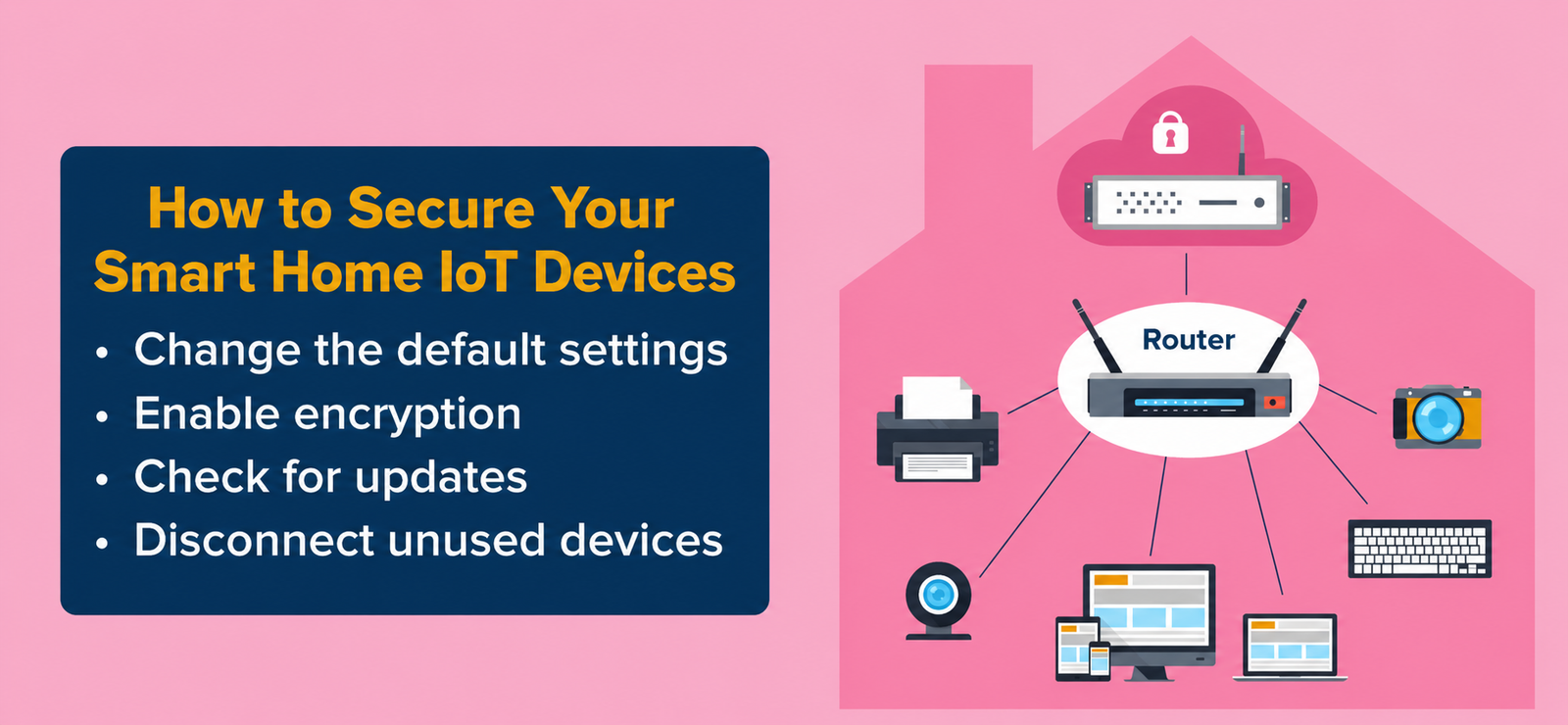
Smart home technology has transformed how we live, offering unprecedented convenience through connected devices that automate everything from lighting to security systems. However, this interconnected ecosystem creates serious vulnerabilities that hackers actively exploit. Understanding how to secure your smart home IoT devices protects your privacy, prevents data breaches and keeps malicious actors from accessing your network.
Recent reports show that most IoT devices face millions of cyber attacks daily, with many homeowners completely unaware their smart cameras, thermostats, and voice assistants serve as basic entry points for cybercriminals. This comprehensive guide walks you through practical security measures that transform vulnerable devices into protected assets, ensuring your connected home remains under your control alone.
Why Smart Home Security Matters
Your smart home devices collect intimate details about your daily routines, personal conversations and physical whereabouts. Unsecured IoT gadgets expose this sensitive information to unauthorized individuals who can monitor your activities, steal personal data, or use your devices as launchpads for broader network attacks. The average smart home contains 10-15 connected devices, each representing a potential security weakness that requires attention.
Beyond privacy concerns, compromised smart devices can cause real-world harm. Hackers have demonstrated the ability to unlock smart locks, disable security cameras and even manipulate smart thermostats to dangerous temperature levels. When you learn how to secure your smart home IoT devices properly, you prevent these nightmare scenarios while maintaining the convenience that made you invest in smart technology initially.
Read more: How to Protect your Home WiFi Network: An Updated Step-by-Step Security Guide
Step 1: Change Default Passwords Immediately
Manufacturers ship IoT devices with generic passwords that anyone can find online within seconds. These default credentials represent the easiest entry point for hackers who maintain comprehensive databases of every device’s factory settings. Your first action after unboxing any smart device should be changing its password to something unique and complex.
Create passwords with at least 16 characters mixing uppercase letters, lowercase letters, numbers and special symbols. Never reuse passwords across multiple devices, if one gets compromised, all devices sharing that password become vulnerable. Password managers make this process manageable by generating and storing complex credentials securely.
Essential Password Requirements:
- Minimum 16 characters combining letters, numbers and symbols
- Unique password for each device, never reuse credentials
- Avoid dictionary words, names, and predictable patterns
- Use password managers to generate and store complex passwords
- Change passwords every 90 days for maximum protection
- Enable (2FA) two-factor authentication whenever available
Step 2: Update Firmware Regularly
Manufacturers constantly discover and patch security vulnerabilities through firmware updates. Running outdated firmware leaves your devices exposed to known exploits that hackers actively target. Check for updates monthly by accessing each device’s companion app or settings interface, and enable automatic updates wherever possible to maintain continuous protection.
Many smart devices notify you when updates become available, but don’t rely solely on notifications. Set calendar reminders to manually check for updates on devices that lack automatic update capabilities. This proactive approach ensures you never operate with outdated security patches that criminals exploit within days of vulnerability announcements.
| Update Frequency | Device Type | Priority Level |
|---|---|---|
| Weekly | Security cameras, smart locks | Critical |
| Monthly | Voice assistants, thermostats | High |
| Quarterly | Smart bulbs, sensors | Medium |
Step 3: Secure Your WiFi Network
Your wireless network serves as the foundation for all smart home security. Compromised WiFi grants attackers access to every connected device regardless of individual device security. Enable WPA3 encryption on your router, or WPA2 at minimum, and create a network password with at least 20 characters that combines random words, numbers, and symbols.
Change your router’s default administrator credentials and disable remote management features unless absolutely necessary. Create a separate guest network for visitors and IoT devices, isolating them from computers and phones that store sensitive personal information. This network segmentation limits damage if any single device becomes compromised.
Read more: How to Setup a Home WiFi Network
Step 4: Disable Unnecessary Features
Smart devices often ship with features enabled that most users never need. Universal Plug and Play (UPnP) automatically opens network ports, creating security holes that hackers exploit. Remote access capabilities allow control from anywhere but also provide external attack vectors. Review each device’s settings and disable any functionality you don’t actively use.
Voice assistants constantly listen for wake words, raising privacy concerns even when they’re not actively being used. Disable microphones when devices aren’t needed, and review privacy settings to minimize data collection. The principle of least privilege applies here, only enable features you genuinely need, keeping everything else turned off to reduce your attack surface.
Step 5: Use Strong Network Encryption
Learning how to secure your smart home IoT devices requires understanding encryption protocols that protect data transmission. WPA3 represents the strongest current standard, using individualized data encryption that prevents password guessing attacks. If your router doesn’t support WPA3, configure it for WPA2-AES instead, never use outdated WEP or WPA encryption that hackers crack in minutes.
Verify that all devices connecting to your network support your chosen encryption standard. Older IoT gadgets might require WPA2, forcing you to enable mixed mode that weakens overall security. Consider upgrading legacy devices that don’t support modern encryption rather than compromising your entire network’s protection for a single outdated gadget.
Step 6: Monitor Connected Devices Regularly
Regular device monitoring helps identify unauthorized access before attackers cause serious damage. Access your router’s administration interface weekly to review the list of connected devices. Create an inventory of authorized equipment and compare it against active connections, investigating any unknown devices immediately.
Modern routers display each device’s MAC address, IP assignment, and connection time. When you spot suspicious activity, disconnect the unknown device and change your network password immediately. Enable MAC address filtering as an additional barrier—though determined attackers can spoof addresses, this feature blocks casual unauthorized access attempts.
| Monitoring Task | Recommended Frequency |
|---|---|
| Review connected devices list | Weekly |
| Check router security logs | Weekly |
| Update device inventory | Monthly |
| Audit security settings | Quarterly |
Step 7: Enable Two-Factor Authentication
Two-factor authentication adds a critical security layer that prevents unauthorized access even if passwords get compromised. Many smart device manufacturers now offer 2FA through their companion apps, requiring both your password and a temporary code from your phone or email to complete login. Activate this feature on every device and account that supports it.
Authenticator apps like Google Authenticator or Authy provide stronger protection than SMS-based codes, which hackers can intercept through SIM swapping attacks. Configure backup authentication methods in case your primary device becomes unavailable, ensuring you maintain access to your smart home systems during emergencies without creating security vulnerabilities.
Step 8: Review Device Permissions Carefully
Smart device apps often request far more permissions than necessary for basic functionality. A smart light doesn’t need access to your contacts, and a thermostat shouldn’t require location tracking when you’re away from home. Review permission requests critically and deny anything that seems excessive or unrelated to the device’s primary purpose.
Periodically audit the permissions you’ve granted to IoT apps through your smartphone settings. Manufacturers frequently update apps with new features that request additional access, and you might have granted permissions months ago that you’d refuse today. Revoking unnecessary permissions reduces the data exposure if the app or device manufacturer experiences a breach.
Read more: WiFi 6 Vs. WiFi 5: What are the differences?
Step 9: Implement Network Segmentation
Network segmentation isolates IoT devices from computers and smartphones that store sensitive information. Creating separate VLANs or using your router’s guest network feature prevents compromised smart bulbs or cameras from accessing banking apps and personal files on other devices. This containment strategy limits breach impact to the specific network segment that gets attacked.
Configure firewall rules that allow IoT devices to access the internet while blocking their communication with other network segments. Smart refrigerators need internet connectivity for firmware updates and remote monitoring, but they have no legitimate reason to connect to your laptop. Proper segmentation provides defense in depth that protects your most valuable data even when individual devices fail.
Step 10: Replace Unsupported Devices
Manufacturers eventually stop supporting older devices, ending security updates that patch newly discovered vulnerabilities. When your smart device reaches end-of-life status, it becomes a permanent security risk that no configuration can fully mitigate. Monitor manufacturer announcements about support timelines and budget for replacing devices before they become dangerous liabilities.
While replacing functioning devices feels wasteful, the security risks of unsupported IoT gadgets outweigh their remaining utility. A three-year-old smart lock without security patches provides less protection than a traditional deadbolt. Understanding how to secure your smart home IoT devices includes knowing when security measures alone aren’t enough and replacement becomes necessary.
Advanced Security Measures
Beyond basic protections, advanced users can implement additional security layers. Configure your router’s DNS settings to use security-focused providers with built-in malware blocking and DNS-over-HTTPS encryption. This prevents DNS hijacking attacks and adds protection at the network level that benefits all connected devices simultaneously.
Consider deploying a dedicated IoT security appliance that monitors network traffic for suspicious patterns and automatically blocks malicious activity. These devices provide professional-grade intrusion detection without requiring technical expertise, offering enterprise-level protection for home environments. While more expensive than software solutions, hardware security appliances deliver comprehensive threat prevention worth considering for high-value smart home installations.
Advanced Security Practices:
- Deploy DNS-over-HTTPS for encrypted domain name lookups
- Use intrusion detection systems that monitor traffic patterns
- Implement VPN tunnels for remote access to smart devices
- Enable router-level ad blocking to prevent malicious ads
- Configure automatic security log backups for forensic analysis
- Subscribe to security alert services for vulnerability notifications
| Security Level | Protection Measures | Recommended For |
|---|---|---|
| Basic | Strong passwords, WPA2 | Minimal smart devices |
| Intermediate | WPA3, 2FA, guest network | Average smart homes |
| Advanced | VLANs, IDS, VPN access | Extensive IoT ecosystems |
Frequently Asked Questions
This section contains concise answers to the frequently asked questions on how you can secure your smart home IoT Devices from unauthorized access.
How often should I update my IoT device passwords?
Change IoT device passwords every 90 days for optimal security, or immediately if you suspect unauthorized access. Regular rotation prevents long-term password compromises and limits exposure from data breaches at device manufacturers who might store credentials insecurely. Proactively updating these credentials helps to safeguard your smart home network from automated cyberattacks and malicious unauthorized remote access attempts.
Can hackers access my network through smart devices?
Yes. Compromised IoT devices provide direct network access to hackers. Attackers exploit vulnerabilities in smart cameras, thermostats, and other gadgets to infiltrate home networks, accessing personal data and additional devices. Router security through the use of strong passwords, firmware updates, and a separate guest network prevent attacks from any of these channels.
Is WPA3 really necessary for home networks?
WPA3 provides significantly stronger protection than WPA2 through individualized data encryption and resistance to brute-force attacks. While WPA2 remains acceptable for most homes, WPA3 offers future-proof security that better protects against evolving threats targeting smart home devices. The use of this standard will stop any offline password guessing by a malicious person and it’ll will ensure that there is forward secrecy in your network and even if someone captures your data, he/she will not be able to decipher it.
Conclusion
Mastering how to secure your smart home IoT devices and open source firewalls requires ongoing vigilance and consistent implementation of multiple security layers. Each protective measure addresses specific vulnerabilities that criminals actively exploit, creating comprehensive defense systems that keep your connected home under your exclusive control. The convenience of smart technology should never come at the cost of privacy and security.
Start implementing these security steps today, beginning with password changes and firmware updates before moving to advanced measures like network segmentation. Schedule monthly security reviews to verify protection remains current as threats evolve and new devices join your network. The investment of time and attention pays enormous dividends by preventing data breaches, unauthorized access, and the countless problems that follow smart home compromises.
Related Contents:
- WiFi 6 Vs. WiFi 5: What are the differences?
- How to Setup a Home WiFi Network
- Autonomous Vehicle Safety & Testing Protocols
- Understanding V2X Technology in Autonomous Driving
- Autonomous Vehicle Technology Trends: AI, Sensors & Hardware
- Best GPS Navigation Systems for Autonomous Vehicles
- How to Protect your Home WiFi Network: An Updated Step-by-Step Security Guide
- Electric Vehicles vs. Autonomous Vehicles: Understanding the Key Differences
- How to Fly a Drone
- How to Build a Drone: Step-by-step Guide