
Written by: Segun Akomolafe
Let’s be honest — most people don’t have a clear picture of where their money goes each month. You earn a paycheck, pay a few bills, grab coffee on the way to work, order takeout twice a week, and then somehow reach the last week of the month wondering why your account balance is so thin. Sound familiar? You’re not alone.
The good news is that finding the best budgeting apps for managing your finances has never been easier. Whether you’re trying to clear debt, build an emergency fund, or just stop the end-of-month panic, the right app can genuinely transform how you handle money. No more guesswork. No more vague guilt about spending.
In this guide, we’re breaking down the best budgeting apps available right now, what they do well, what they don’t, and which one actually fits your financial situation. We’ll also walk through how these tools connect to broader money habits so you get real, lasting results.
Why Using a Budgeting App Beats Tracking by Memory
Think about the last time you tried to remember exactly how much you spent on groceries, subscriptions, and eating out last month. Challenging, right? The brain simply isn’t wired to track dozens of small transactions accurately, and that’s exactly where budgeting apps shine.
The best budgeting apps connect directly to your bank accounts, credit cards, and savings accounts to pull your real transaction data automatically. Instead of manually logging every latte, the app does the heavy lifting. You see a live picture of your finances, categorised and summarised, without spending an hour each weekend with a spreadsheet.
Here’s what that actually means in practice: you stop spending based on how much you think you have and start spending based on what the numbers actually say. That shift alone can change your financial life.
There’s also a consistency factor. Most budgeting methods fail not because they’re bad ideas, but because people give up after two weeks. Apps solve this by reducing the friction. Checking your spending takes 30 seconds instead of 30 minutes. And when something is easy, you actually do it.
Read more: How to Create a Personal Financial Plan
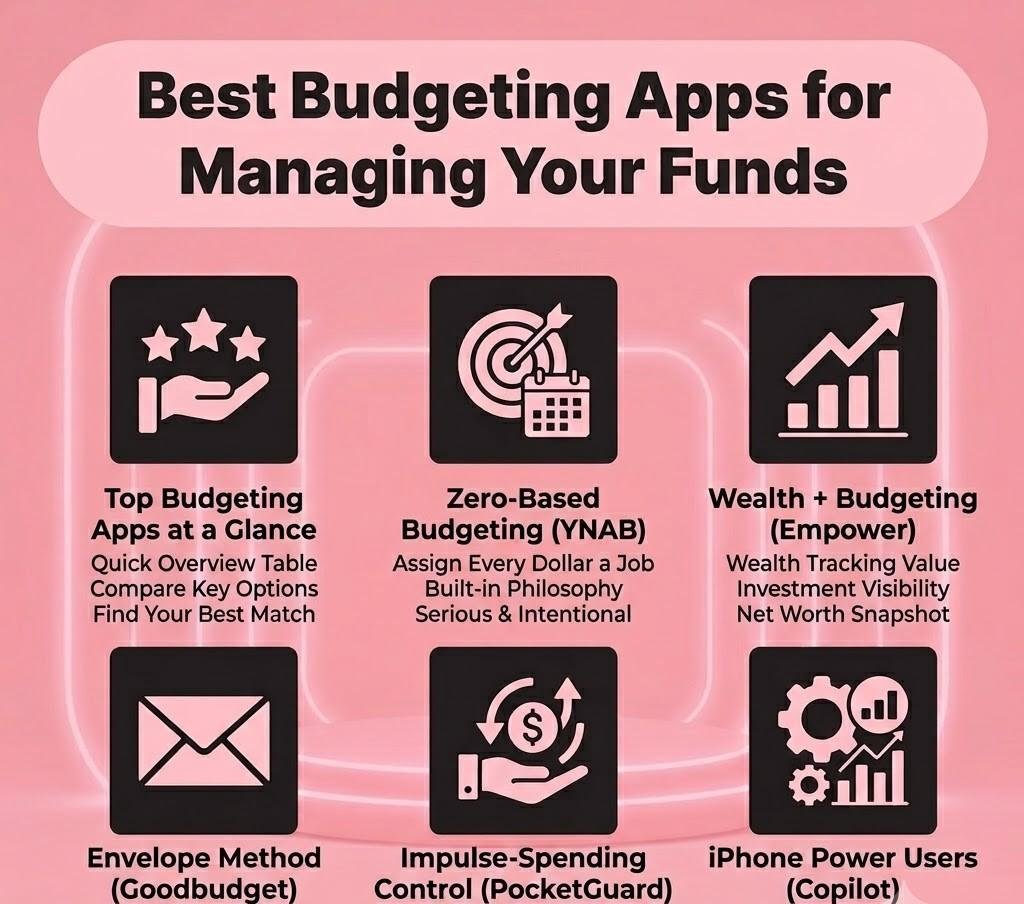
The Best Budgeting Apps at a Glance
Before diving into each app in detail, here’s a quick overview table so you can see how the top options stack up against each other:
Table 1: Best Budgeting Apps — Quick Comparison
App | Best For | Price | Key Feature | Platform |
|---|---|---|---|---|
YNAB | Zero-based budgeting | $14.99/mo | Goal tracking + sync | iOS, Android, Web |
Mint | Free all-in-one | Free | Auto categorisation | iOS, Android |
PocketGuard | Overspending control | Free / $7.99/mo | “In My Pocket” calc | iOS, Android |
Goodbudget | Envelope method | Free / $8/mo | Shared envelopes | iOS, Android, Web |
Empower (Personal Capital) | Wealth + budgeting | Free | Net worth dashboard | iOS, Android, Web |
Copilot | iPhone power users | $8.99/mo | AI insights | iOS only |
Each of these apps approaches budgeting slightly differently. The best budgeting apps for you personally depend on whether you need detailed control, passive tracking, or investment visibility. Let’s dig into each one.
YNAB (You Need a Budget) — Best for Serious, Intentional Budgeters
If you’ve ever felt like your money just disappears without a clear plan for it, YNAB was built for you. It operates on a zero-based budgeting philosophy. Every single dollar you earn gets assigned a specific job before you spend it. Rent, groceries, Netflix, savings, everything. Nothing sits in a vague ‘available balance’ limbo.
The app syncs with your bank accounts and lets you create categories for every spending area in your life. When money comes in, you manually allocate it across those categories. It sounds like more work, but YNAB users consistently report that this hands-on process makes them dramatically more aware of their money — often saving hundreds of dollars a month just by seeing patterns clearly.
What Makes YNAB Stand Out
YNAB’s strength is its goal-tracking system and the built-in philosophy that you should budget with last month’s income, meaning you’re never spending money you haven’t actually earned yet. It also offers one of the best educational libraries of any budgeting app, with workshops, video tutorials, and a genuinely helpful community.
The honest drawback? It costs $14.99 a month (or $99 annually) and has a real learning curve. Most new users need about two to three weeks before the system clicks. But once it does, YNAB users often describe it as the first budgeting method that actually worked for them long-term.
Read more: 7 Smart Savings Tips Everyone Should Know
Mint — Best Free Budgeting App for Beginners
Mint has long been one of the most recognisable names in personal finance apps, and for good reason. It’s completely free, syncs with virtually every major bank and credit union, and automatically categorises your spending without you lifting a finger. For someone just getting started with tracking their money, Mint is actually one of the best budgeting apps to begin with.
When you connect your accounts, Mint builds a dashboard showing your income, bills, spending by category, and credit score all in one place. It’ll also send you alerts when you’re approaching a spending limit or when an unusual charge hits your account.
The Real Talk About Mint
Here’s the part many app reviews gloss over: Mint is ad-supported. You’ll see product recommendations — credit cards, savings accounts, personal loans — because that’s how Intuit (Mint’s parent company) monetises the free service. For most users, it’s a minor annoyance. But if you prefer a clean, ad-free experience, it’s worth knowing upfront.
Investment tracking is basic, and the budgeting tools aren’t as nuanced as YNAB’s. But for someone who just wants to see where their money is going each month without paying for it, Mint delivers genuine value. It’s the entry point for millions of people into the world of the best budgeting apps — and that’s a position it’s earned.
Read more: How to Create a Debt-Free Budget: 5 Key Strategies
PocketGuard — Best for People Who Overspend
PocketGuard takes a different angle from most budgeting tools. Instead of showing you a complex dashboard of categories and allocations, it answers one simple question: how much money do I actually have available to spend right now? It calls this figure “In My Pocket”, a real-time number that accounts for your bills, savings goals, and recurring expenses before telling you what’s safely spendable.
It’s genuinely clever. If you’ve ever splurged on something mid-month only to panic about rent the following week, PocketGuard’s simple interface could be a game-changer. The app effectively puts a guardrail between you and overspending without requiring you to manage complicated category breakdowns.
The free version covers the basics well. The paid tier ($7.99 a month) unlocks custom spending limits, a debt payoff plan, and the ability to create custom categories. It’s a solid choice among the best budgeting apps if you want simplicity and impulse-spending control without complexity.
Goodbudget — Best for the Envelope Budgeting Method
Goodbudget is the digital version of the classic cash envelope system — a budgeting technique that’s been around for decades. The idea is simple: you divide your monthly income into virtual ‘envelopes’ for different spending categories. When an envelope is empty, you stop spending in that category. No exceptions.
What makes Goodbudget particularly interesting is that it works for couples and families. You can share envelopes across devices, meaning both partners see the same real-time budget. No more “I thought you paid the electric bill” situations.
It doesn’t connect directly to bank accounts (you enter transactions manually), which might sound tedious — but many users find this manual process actually makes them more conscious of each dollar spent. The free plan gives you 10 envelopes, which is enough for most people. The paid version ($8 a month) unlocks unlimited envelopes and additional device sharing. Among the best budgeting apps for intentional, values-based spending, Goodbudget earns a genuine spot.
Read more: Debt Snowball vs. Avalanche Method: Which Pays Off Debt Faster?
Empower (Personal Capital) — Best for Budgeting + Wealth Tracking
Empower, formerly known as Personal Capital, sits in a slightly different lane than pure budgeting apps. It’s designed for people who are past the ‘I need to stop overspending’ phase and are now thinking about building wealth over time. You get budgeting tools, yes — but the real value is in the investment and net worth tracking.
Connect all your accounts — checking, savings, credit cards, 401(k), brokerage accounts — and Empower gives you a comprehensive financial snapshot. You’ll see your net worth update in real time, how your investment portfolio is performing, and whether you’re on track for retirement.
It’s completely free for the core tools. Empower also offers a wealth management service for high-balance investors, but you don’t need to engage with that to use the free features. If you’re building both budgeting discipline and long-term financial health simultaneously, Empower is one of the best budgeting apps that bridges both worlds effectively.
YNAB vs. Mint vs. PocketGuard — A Deeper Look
Still deciding between the top three? Here’s a more detailed feature-by-feature breakdown to help you choose the right fit for your financial goals:
Table 2: YNAB vs. Mint vs. PocketGuard — Feature Comparison
Feature | YNAB | Mint | PocketGuard |
|---|---|---|---|
Monthly Cost | $14.99 | Free | Free / $7.99 |
Bank Sync | Yes | Yes | Yes |
Debt Tracking | Yes | Basic | No |
Investment Tracking | No | Yes | No |
Offline Budgeting | Yes | No | No |
Learning Curve | High | Low | Low |
Best Pick For | Serious budgeters | Beginners | Overspenders |
The right pick really comes down to what you need most. If you’re committed to mastering your finances and don’t mind paying for the best tools, YNAB is worth every cent. If you want free and effortless, Mint. If impulsive spending is your specific problem, PocketGuard is the most targeted solution of the three.
Which Budgeting Method Works Best with These Apps?
One thing most app reviews miss is this: the app is just a tool. Your budgeting method is the strategy. Here’s how some of the most effective personal finance methods map to the best budgeting apps available:
Table 3: Budgeting Methods and Their Best App Match
Budgeting Method | How It Works | Best Budgeting App |
|---|---|---|
Zero-Based | Every dollar assigned a job until balance = $0 | YNAB |
50/30/20 Rule | Split income into needs, wants, and savings | Mint / Monarch Money |
Envelope Method | Cash (or virtual) divided into spending categories | Goodbudget |
Pay Yourself First | Savings auto-deducted before spending | Empower / Wealthfront |
Automated Budgeting | AI categorises and limits spending automatically | Copilot / PocketGuard |
The zero-based and envelope methods tend to produce the most dramatic short-term results for people who’ve struggled with overspending. The pay-yourself-first approach works best for people who already manage day-to-day spending reasonably well but need to improve their saving rate.
Read more: How Much Money Should You Really Save to Build Financial Security?
Key Features to Look for When Choosing the Best Budgeting Apps
Not all money management apps are created equal. When you’re evaluating your options, here’s what actually matters:
- Bank sync reliability: If the app struggles to connect with your bank or loses sync regularly, it’ll frustrate you into quitting. Check reviews specifically for your bank.
- Spending categorisation accuracy: Automatic categorisation saves time, but it needs to be accurate. Look for apps that let you easily reassign categories and learn from your corrections.
- Goal-setting tools: The best budgeting apps don’t just track the past — they help you plan for the future. Look for savings goal trackers, debt payoff planners, and net worth projections.
- Mobile experience: You’re going to check this app on your phone daily. If the mobile interface is clunky or hard to navigate, you’ll stop using it. Prioritise apps with strong mobile reviews.
- Security standards: You’re sharing financial data. Look for 256-bit encryption, two-factor authentication, and a clear privacy policy. Your financial data should never be sold.
- Customer support quality: When something breaks (and sometimes things break), responsive support makes a huge difference. YNAB is consistently praised for this.
Read more: Basic Financial Concepts You Should Understand
Common Budgeting App Mistakes That Undermine Your Progress
Even with the best budgeting apps at your fingertips, certain habits can sabotage your results. Here’s what to avoid:
- Setting up the app but never opening it again: Apps need consistent engagement to work. Build a 5-minute daily habit of checking in — morning coffee, lunch break, whatever fits your routine.
- Creating overly rigid categories: If your budget has no flexibility, one unexpected expense blows the whole plan. Always leave a small ‘miscellaneous’ buffer.
- Ignoring irregular expenses: Annual subscriptions, car insurance, holiday gifts — these don’t show up monthly but they’re predictable. Use sinking funds to spread the cost.
- Giving up after one bad month: One overspent month doesn’t mean the system failed. It means life happened. Reset, adjust, and keep going.
- Using too many apps at once: Pick one and commit. Using three apps simultaneously creates confusion, not clarity. The best budgeting apps work best when they become your single financial home base.
Read more: Reserve Fund vs. Savings Account: What’s the Difference?
Copilot — Best Budgeting App for iPhone Power Users
If you’re an iPhone user who wants the most polished, visually beautiful budgeting experience available, Copilot is worth a serious look. It’s an AI-powered app that learns your spending patterns over time and surfaces personalized insights — not generic alerts, but genuinely relevant observations about your financial behavior.
At $8.99 a month, it’s not cheap. And the iOS-only nature means Android users are locked out entirely. But the interface is genuinely best-in-class, and the AI categorisation is impressively accurate after a few weeks of use.
Copilot is one of the newer entrants among the best budgeting apps, but it’s carved out a strong following among users who want a premium, design-forward experience. If aesthetics and ease of use are high priorities alongside solid budgeting features, it’s absolutely worth a free trial.
Frequently Asked Questions
Here are simple answers to the most frequently asked questions on best budgeting apps.
Are the best budgeting apps safe to connect to my bank account?
Yes. Popular applications such as YNAB, Mint, and Empower have bank-grade 256-bit encryption technology and read-only access to the accounts; therefore, they are able to see what is happening on your account but cannot transfer your funds. You have multi-factor authentication and robust financial privacy policies for protecting your bank data. These secure platforms use trusted data aggregators like Plaid to safely verify your credentials without basically storing or sharing your login details.
Do I need to pay for a budgeting app?
Using a quality financial tool results in good financial management. There are many free versions available, but usually the premium version will set you between $6 and $15 fee per month. The premium version offers such features as: Unlimited banking sync capabilities, Detailed net worth analysis, Debt pay off reporting tools. Opting for a paid plan often provides automated data insights, secure financial planning tools and advanced investment tracking to help grow your personal wealth.
Which of the best budgeting apps works well for couples?
Goodbudget and YNAB both support shared household budgeting effectively. Using these top-rated financial tools helps partners improve money management and achieve long-term wealth. Goodbudget’s shared envelopes are particularly good for couples managing joint finances across separate devices to sync shared savings goals, track personal expenses, and manage sync financial habits together without needing joint bank accounts, while tracking shared expenses and improving overall financial planning for your household budget.
Can I use the best budgeting apps if I have irregular income?
Absolutely. Using these digital financial tools helps you track cash flow and YNAB is specifically designed for variable income — you only budget money you’ve actually received, making it ideal for freelancers, gig workers, and commission-based earners. This helps you achieve long-term financial stability. Through this technique, you can identify your most pressing expenditures and ensure that there is a steady flow of money throughout the uncertain months by employing a zero based budgeting system.
The Bottom Line: Which App Should You Actually Use?
Here’s the honest answer: the best budgeting apps are the ones you’ll actually open tomorrow. Not the most feature-rich one, not the most popular one — the one that fits how your brain works.
If you’re a beginner who needs a free, low-friction starting point for savings and budgeting, Mint is your app. If you’re ready to get serious and want the most powerful zero-based system available, invest in YNAB — most users save more in a month than the app costs in a year. If you have an overspending problem and need clear guardrails, PocketGuard makes that simple. If you want the full financial picture — budgeting plus investing plus net worth — Empower is the one.
Whatever you pick, start today. Set it up, connect your accounts, and commit to checking it daily for 30 days. By the time that month is up, you’ll have a clearer picture of your finances than most people ever get — and that’s the first real step toward building the financial life you actually want.
Related Contents:
- How to Create a Debt-Free Budget: 5 Key Strategies
- 7 Smart Savings Tips Everyone Should Know
- Debt Snowball vs. Avalanche Method: Which Pays Off Debt Faster?
- How to Pay Off Your Most Important Bills First: A Step-by-Step Priority Guide
- How to Invest Early: 7 Strategies for Better ROI
- How Much Money Should You Really Save to Build Financial Security?
- How to Live Within Your Means
- Basic Financial Concepts You Should Understand
- How to Create a Personal Financial Plan
- 6 Best High Yield Savings Accounts And How to Pick the Right One