
Written by: Segun Akomolafe
In today’s hyper-connected world, choosing between WiFi and Ethernet connectivity can significantly impact your internet experience. Whether you’re gaming competitively, streaming 4K content, working remotely, or simply browsing social media, understanding WiFi Vs. Ethernet performance differences helps you make informed decisions about your home or office network setup. With internet speeds reaching gigabit levels and beyond, the debate between wireless convenience and wired reliability has never been more relevant.
This comprehensive guide examines the technical specifications, real-world performance data, and practical considerations that separate these two connection methods. We’ll explore speed tests, latency measurements, reliability factors, and specific use cases to help you determine which connection type best serves your needs. By the end, you’ll have the expert knowledge to optimize your network for maximum performance.
Understanding the Technical Foundations: WiFi Vs. Ethernet
Before comparing WiFi Vs. Ethernet speeds, it’s crucial to understand how each technology transmits data. Ethernet uses physical cables—typically Cat5e, Cat6, or Cat6a—to create direct, dedicated pathways between devices and network equipment. These cables contain twisted copper pairs that carry electrical signals with minimal interference, supporting speeds from 100 Mbps up to 10 Gbps depending on cable category and network hardware.
WiFi, conversely, transmits data as radio waves through the air using specific frequency bands—primarily 2.4 GHz, 5 GHz, and the newer 6 GHz spectrum. Modern WiFi standards like WiFi 6 (802.11ax) and WiFi 6E can theoretically achieve speeds exceeding 9 Gbps under ideal laboratory conditions. However, real-world WiFi performance depends heavily on distance from the router, physical obstacles, interference from other devices, and the number of connected clients sharing bandwidth.
Speed Comparison: WiFi Standards Vs. Ethernet Categories
| Connection Type | Maximum Speed | Typical Real-World Speed |
|---|---|---|
| WiFi 5 (802.11ac) | 3.5 Gbps | 200-400 Mbps |
| WiFi 6 (802.11ax) | 9.6 Gbps | 400-700 Mbps |
| Cat5e Ethernet | 1 Gbps | 900-950 Mbps |
| Cat6 Ethernet | 10 Gbps | 9-9.5 Gbps |
Read more: WiFi 6 Vs. WiFi 5: What are the differences?
Real-World Speed Testing: WiFi Vs. Ethernet Performance Analysis
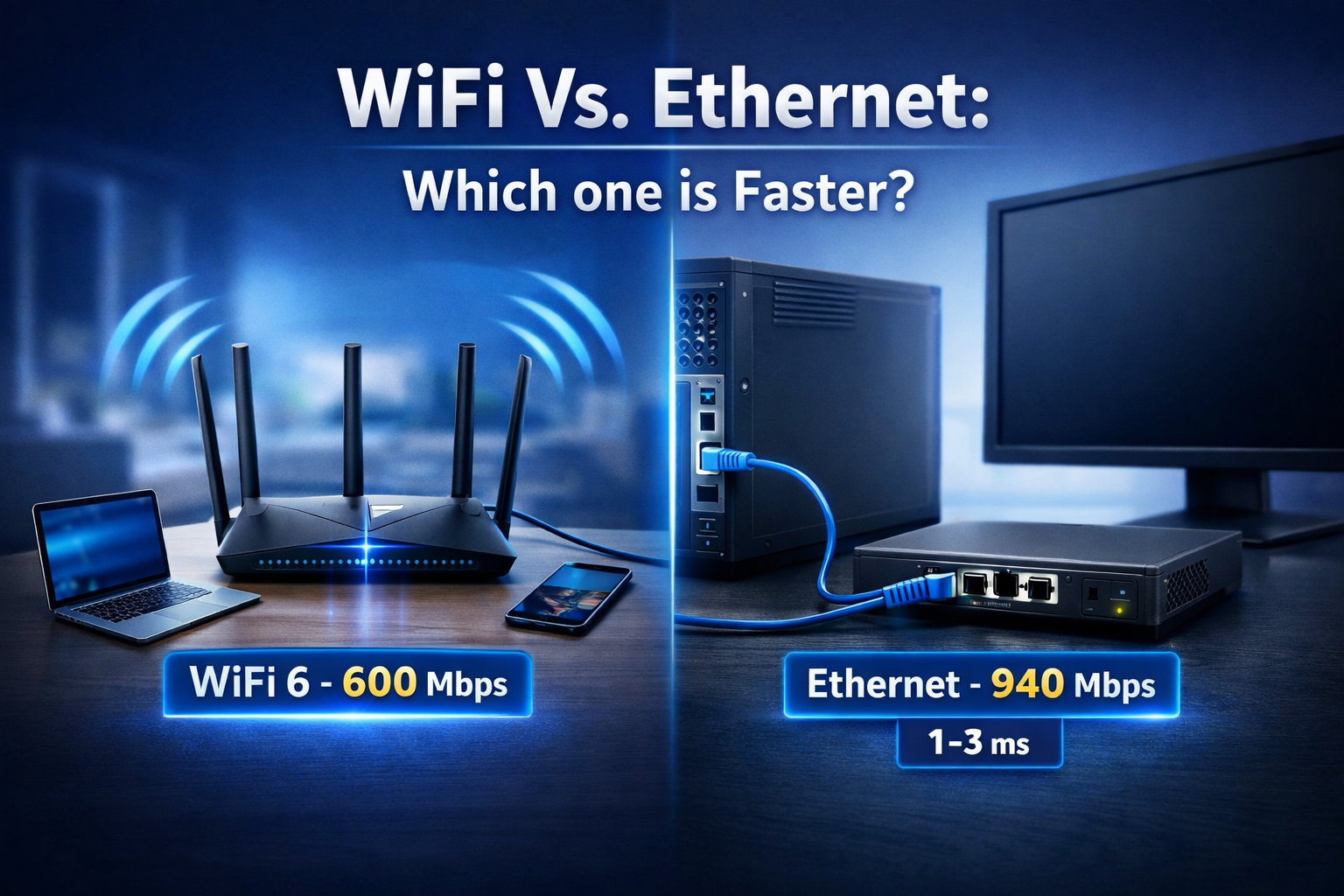
Theoretical maximum speeds mean little without real-world context. Independent testing by networking laboratories and consumer technology reviewers consistently shows that Ethernet connections deliver speeds much closer to their rated maximums compared to WiFi. A gigabit Ethernet connection (Cat5e or better) typically achieves 900-950 Mbps in speed tests, representing 90-95% efficiency. This consistency stems from the dedicated physical medium free from interference or bandwidth sharing.
When examining WiFi Vs. Ethernet in controlled home environments, WiFi 6 connections in the same room as the router might achieve 500-700 Mbps on a gigabit internet plan—impressive, but still only 50-70% of the available bandwidth. Moving just one room away or adding a wall between device and router can cut those speeds in half. Testing conducted by networking experts demonstrates that WiFi speeds degrade exponentially with distance and obstacles, while Ethernet maintains consistent performance across its entire cable length (up to 100 meters for most categories).
Ethernet remains faster and more reliable than Wi-Fi for raw, consistent and low-latency performance, even with the widespread adoption of Wi-Fi 6E and the introduction of Wi-Fi 7.
While Wi-Fi 7 has made massive leaps, boasting theoretical speeds that can exceed 10-Gigabit Ethernet in ideal conditions, wired Ethernet offers superior, stable speed and lower latency in real-world scenarios, particularly for gaming, large file transfers and 8K streaming.
Read more: How to Setup a Home WiFi Network
Latency and Ping Rates: The Hidden Performance Factor
Beyond raw download and upload speeds, latency (the time data takes to travel from source to destination) critically affects user experience. Gamers, video conferencing professionals, and traders know that every millisecond counts. Ethernet connections typically exhibit latency of 1-3 milliseconds on local networks, with ping times to internet servers adding 10-50ms depending on geographic distance and ISP routing.
WiFi introduces additional latency overhead—typically 5-15 milliseconds even under optimal conditions. Network congestion, interference, and the time required for data packet acknowledgment in wireless protocols add these delays. For competitive online gaming where reaction times matter, the 10-20ms latency difference between WiFi Vs. Ethernet can determine victory or defeat. Professional esports tournaments exclusively use wired connections for this reason.
Read more: How to Optimize Motion Control in Autonomous Vehicles
Reliability and Consistency: WiFi Vs. Ethernet in Challenging Environments
Speed and latency numbers tell only part of the story. Connection reliability and consistency separate professional-grade networks from frustrating ones. Ethernet’s physical connection provides unmatched stability—once connected, it maintains performance regardless of environmental factors. Unless the cable is physically damaged or disconnected, Ethernet delivers the same speeds and latency 24/7 without variation.
WiFi faces numerous reliability challenges. Neighboring networks operating on the same channel create interference that reduces speeds and increases packet loss. Common household items like microwave ovens, baby monitors, cordless phones, and Bluetooth devices operate in the 2.4 GHz band, causing signal disruption. Even the human body absorbs 2.4 GHz signals—walking between your device and router can temporarily degrade connection quality. The 5 GHz band suffers less interference but penetrates walls poorly, creating coverage gaps.
Reliability Comparison: Key Performance Metrics
| Factor | WiFi | Ethernet |
|---|---|---|
| Packet Loss Rate | 0.1-2% | <0.01% |
| Jitter (ms) | 5-20ms | 0.5-2ms |
| Connection Stability | Variable | Consistent |
| Interference Susceptibility | High | None |
Read more: Understanding V2X Technology in Autonomous Driving
Use Case Analysis: When to Choose WiFi Vs. Ethernet
The WiFi Vs. Ethernet decision ultimately depends on your specific needs, device types, and usage patterns. Desktop computers, gaming consoles, smart TVs, and network-attached storage devices benefit enormously from Ethernet connections. These stationary devices don’t need wireless mobility, and the performance gains from wired connections are substantial. A gaming PC connected via Ethernet will deliver noticeably smoother gameplay with fewer lag spikes compared to WiFi, even with the same internet plan.
Conversely, smartphones, tablets, laptops, and IoT devices require WiFi for practical usability. The convenience of wireless connectivity enables mobility throughout your home or office. For general web browsing, social media, and standard video streaming, modern WiFi provides adequate performance. However, users conducting bandwidth-intensive tasks like 4K video editing, large file transfers to network drives, or hosting servers should prioritize Ethernet connections whenever possible.
Recommended Connection Types by Activity
| Activity/Device Type | Best Connection Choice |
|---|---|
| Competitive Gaming / Esports | Ethernet (Cat6 or better) |
| 4K/8K Video Streaming | Ethernet strongly recommended |
| Video Conferencing / Remote Work | Ethernet preferred; WiFi 6 acceptable |
| Smart Home Devices / IoT | WiFi (2.4 GHz for range) |
| Large File Transfers / NAS Access | Ethernet (multi-gig recommended) |
| Casual Browsing / Social Media | WiFi perfectly adequate |
Read more: Best GPS Navigation Systems for Autonomous Vehicles
Security Considerations in the WiFi Vs. Ethernet Debate
Network security represents another critical factor when evaluating WiFi Vs. Ethernet. Ethernet connections offer inherent security advantages—attackers need physical access to your cable infrastructure to intercept data. This makes Ethernet ideal for transmitting sensitive information like financial records, business documents, or personal health data. Corporate environments and government facilities often mandate wired connections for classified or confidential communications.
WiFi networks broadcast signals beyond your property boundaries, creating potential security vulnerabilities. Even with WPA3 encryption (the strongest current standard), determined attackers with specialized equipment might intercept wireless traffic. While properly secured modern WiFi networks provide adequate protection for most home users, businesses handling sensitive data should layer additional security measures like VPNs, MAC address filtering, and network segmentation. The mobility benefits of WiFi come with increased security responsibilities that wired connections largely avoid.
Read more: Autonomous Vehicle Technology Trends: AI, Sensors & Hardware
FAQs: WiFi Vs. Ethernet
Here are the most frequently asked questions about choosing between WiFi and Ethernet connectivity.
1. Is Ethernet always faster than WiFi in practical use?
Yes, Ethernet consistently delivers faster real-world speeds. Wired connections achieve 90-95% of rated bandwidth, while WiFi typically reaches 50-70% maximum under optimal conditions, with performance degrading significantly as distance and obstacles increase.
2. Can WiFi 6 match Ethernet speeds for gaming?
WiFi 6 delivers improved speeds but cannot match Ethernet’s low latency and consistency. Professional gamers exclusively use Ethernet because even WiFi 6’s 5-15ms additional latency and variable packet timing create competitive disadvantages in fast-paced games.
3. Should I use Ethernet for my smart home devices?
Most smart home devices work perfectly on WiFi and lack Ethernet ports. Reserve wired connections for bandwidth-intensive stationary devices like gaming consoles, desktop computers, and smart TVs, where performance improvements justify the cable installation effort.
Related Contents:
- WiFi 6 Vs. WiFi 5: What are the differences?
- How to Setup a Home WiFi Network
- Autonomous Vehicle Safety & Testing Protocols
- Understanding V2X Technology in Autonomous Driving
- Autonomous Vehicle Technology Trends: AI, Sensors & Hardware
- Best GPS Navigation Systems for Autonomous Vehicles
- EV Charging Infrastructure Guide
- Electric Vehicles vs. Autonomous Vehicles: Understanding the Key Differences
- How to Fly a Drone
- How to Build a Drone: Step-by-step Guide